Built for life across borders
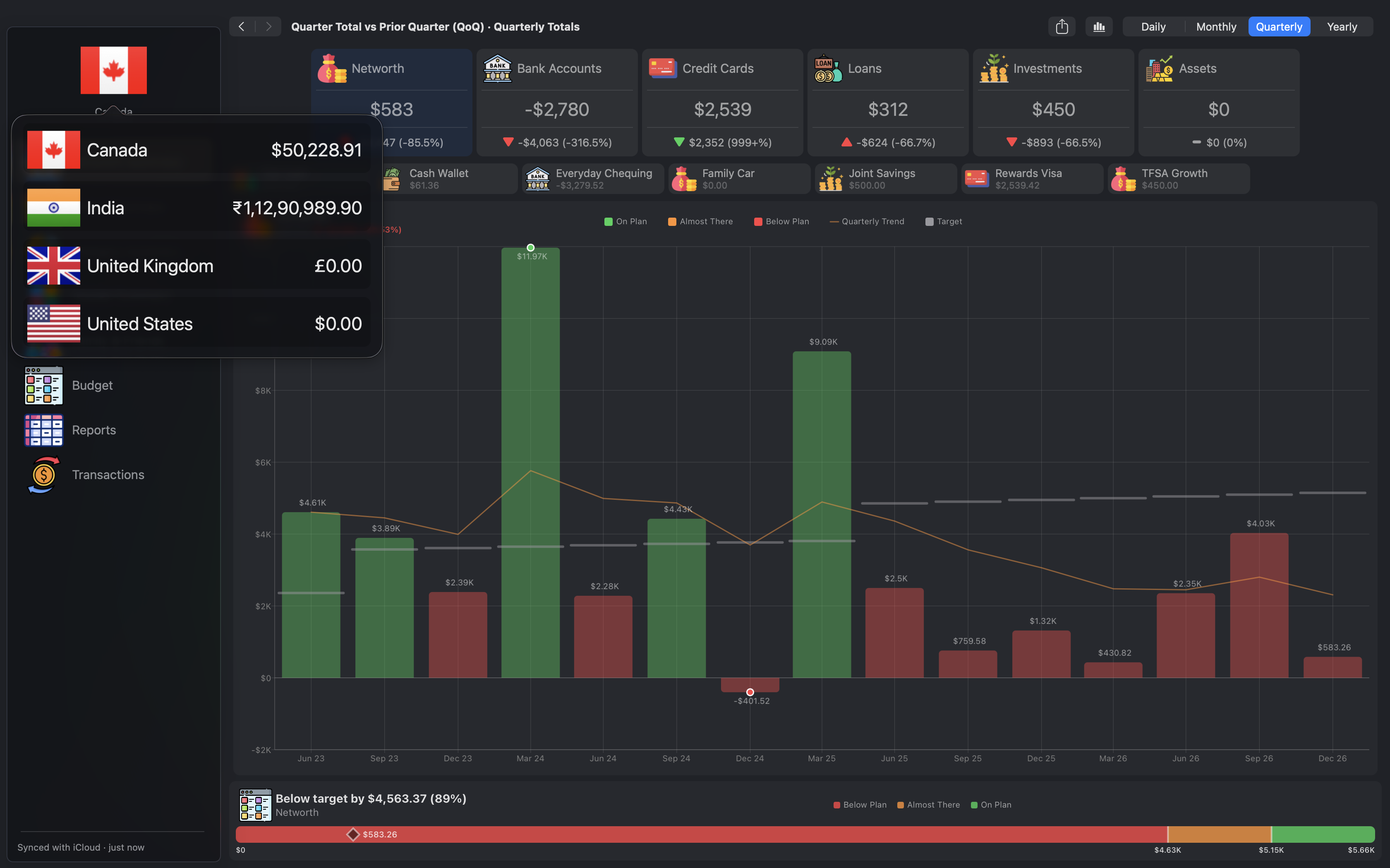
Living abroad, or managing money in more than one country? Keep your accounts in your current and home countries side by side, each in its own currency, and switch between them in one click.
Budget analytics & insights
Business intelligence for your personal finances. Turn your bank and credit card statements into interactive charts, drill-down reports and side-by-side comparisons, and back your money decisions with data. Privately on your Mac.
Coming soon to the Mac App Store14-day free trial with full access. No payment needed to start.
No accounts to create, no ads, no tracking. Your data stays on your Mac.
Start with a realistic sample household and explore every feature before adding your own numbers.
Once you subscribe, your data is backed up to your own private iCloud account.
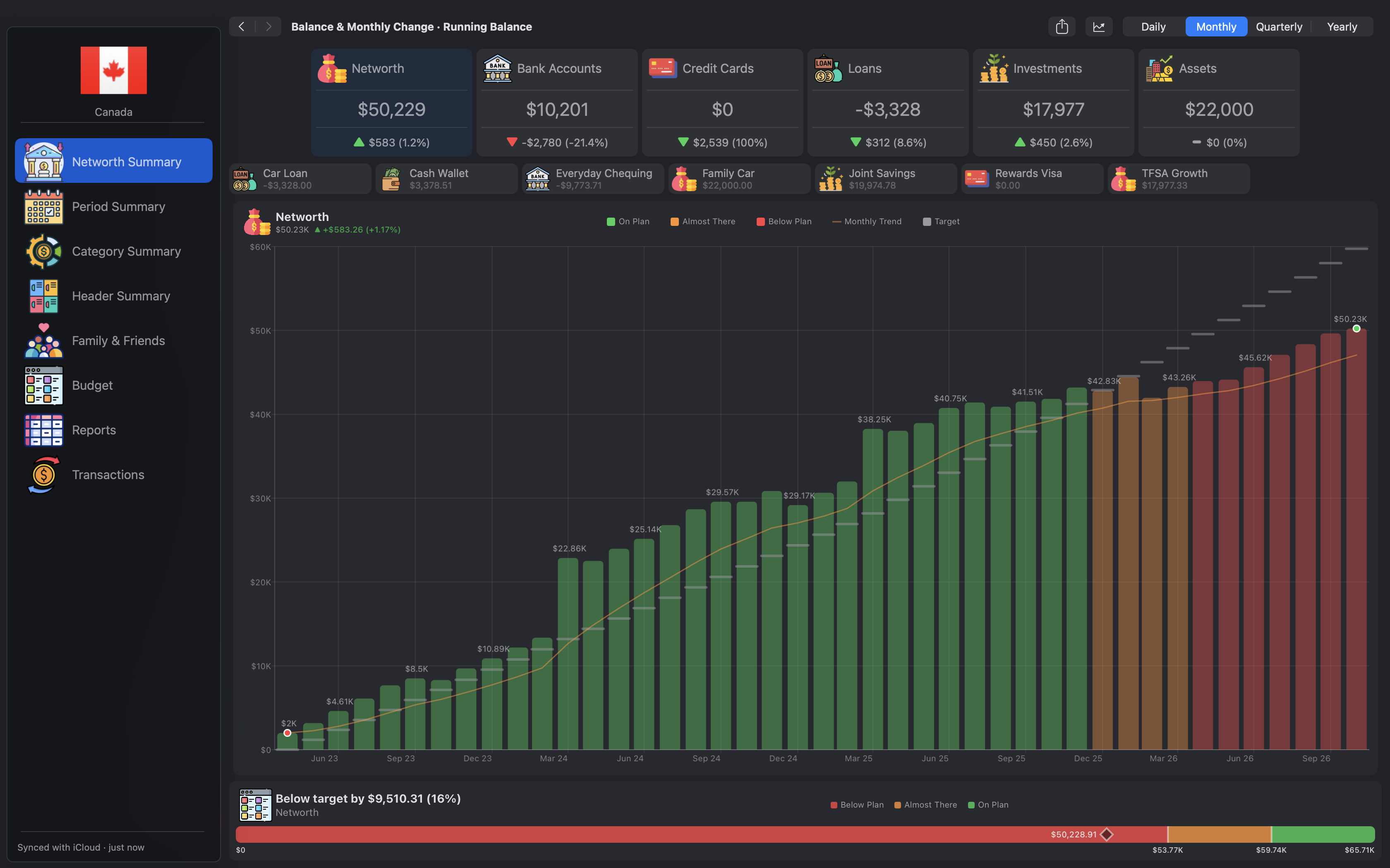
Monthly, quarterly and yearly trends. Drag across a chart to compare two points.
Schedule bills, transfers, loan payments and other repeating transactions.
Reports, budgets and transactions to CSV. Budgets to PDF.
Living abroad, or managing money in more than one country? Keep your accounts in your current and home countries side by side, each in its own currency, and switch between them in one click.
Compare this period to date against the same point last period, and see at a glance whether you're ahead or behind.

Plain-English summaries of your finances, generated on your Mac. Your data never leaves the device.
Requires a Mac with Apple Intelligence.
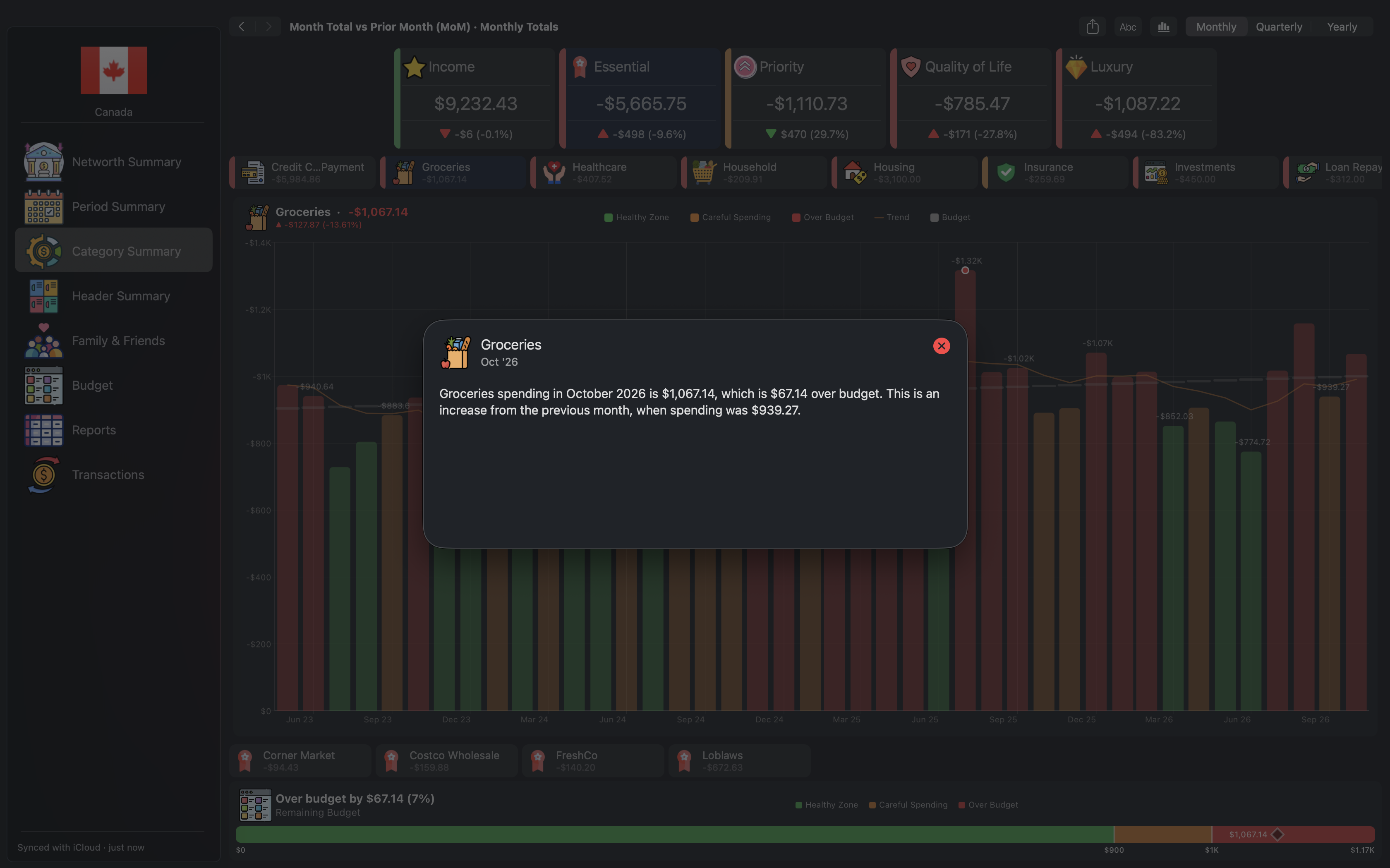
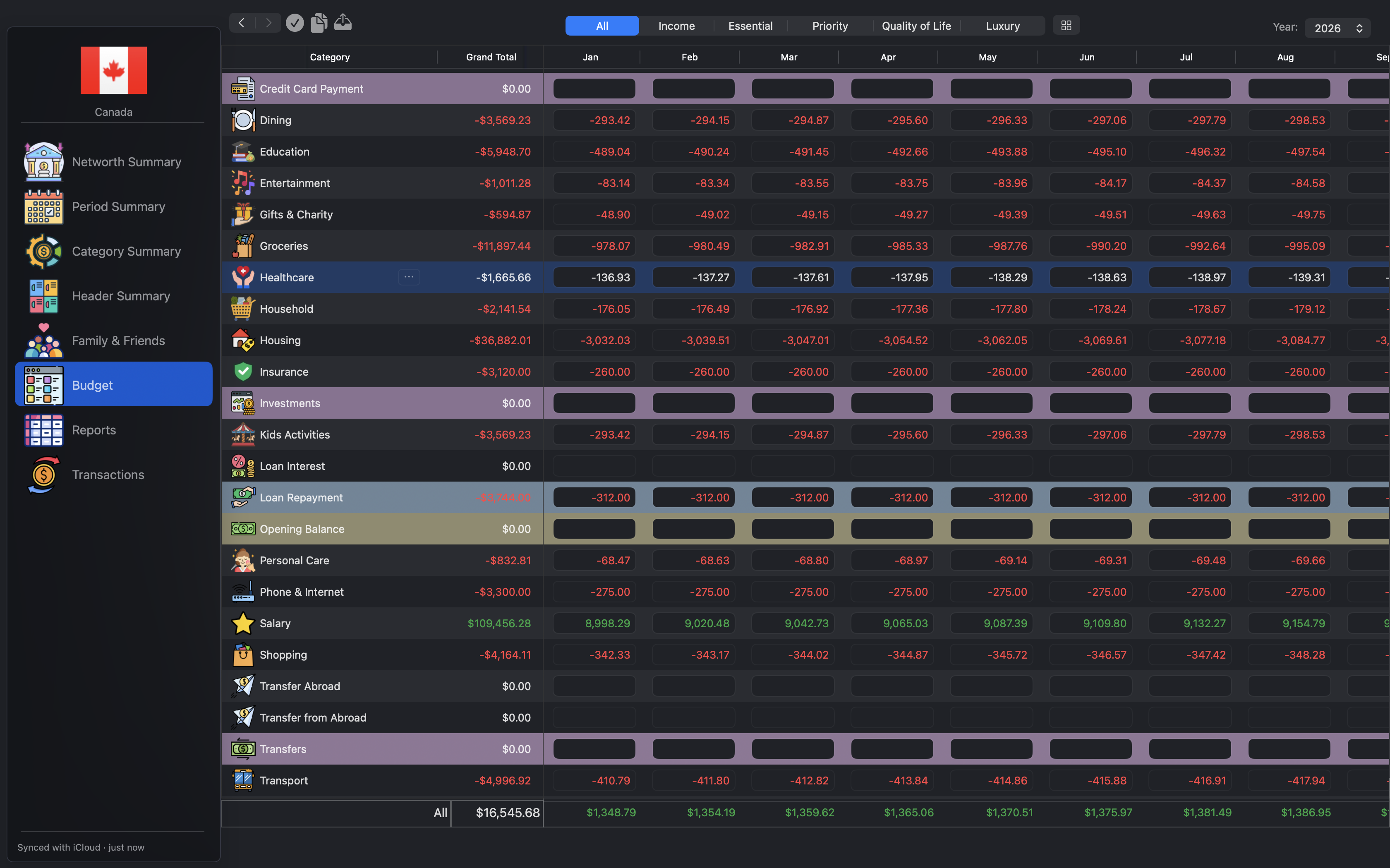
Plan monthly budgets and track actual spending against your targets all year, with health indicators that show how you're doing at a glance.
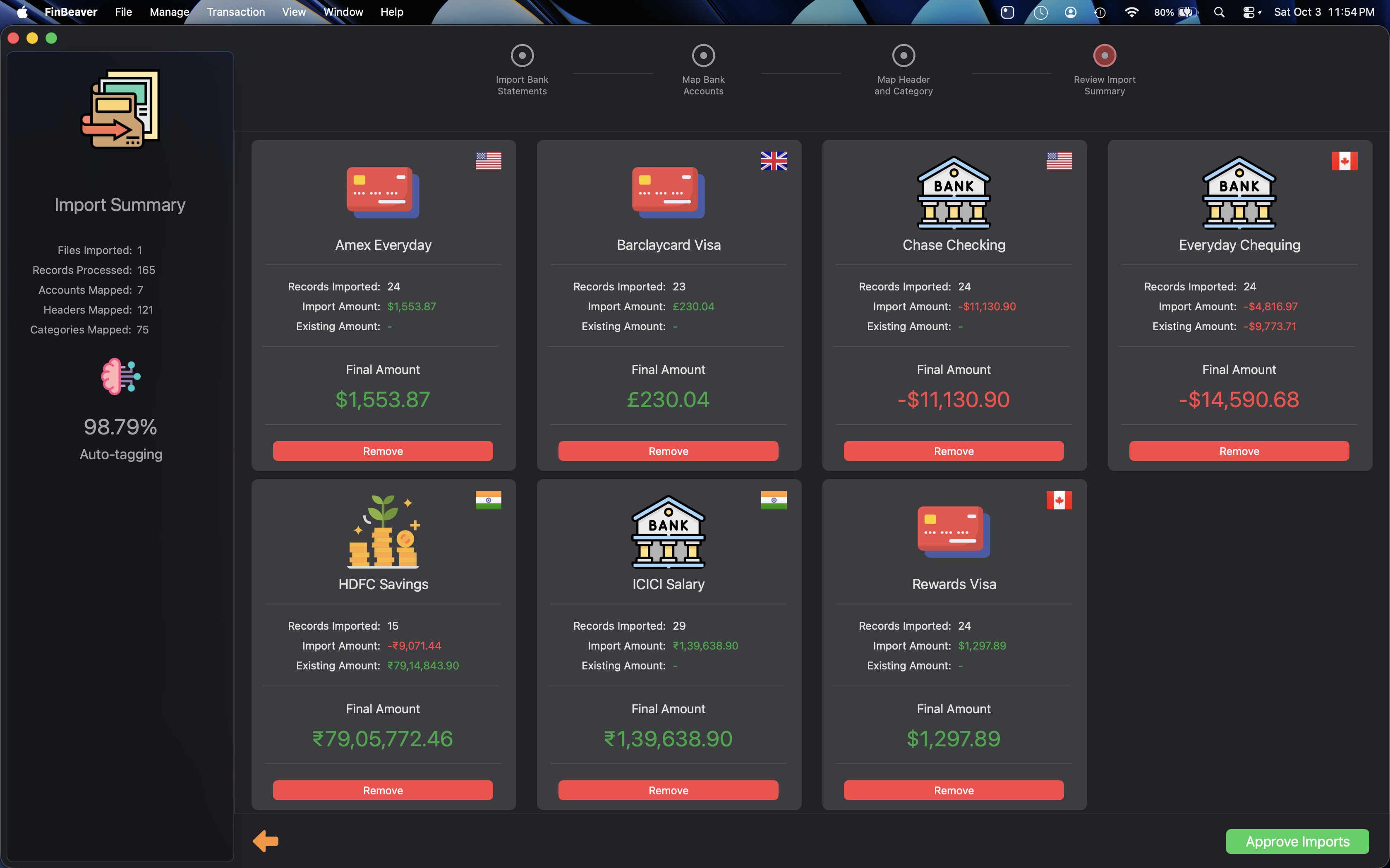
Import CSV and Excel statements from your bank or credit card. Auto-Tagging learns from your own history, right on your Mac, and categorizes new transactions for you.
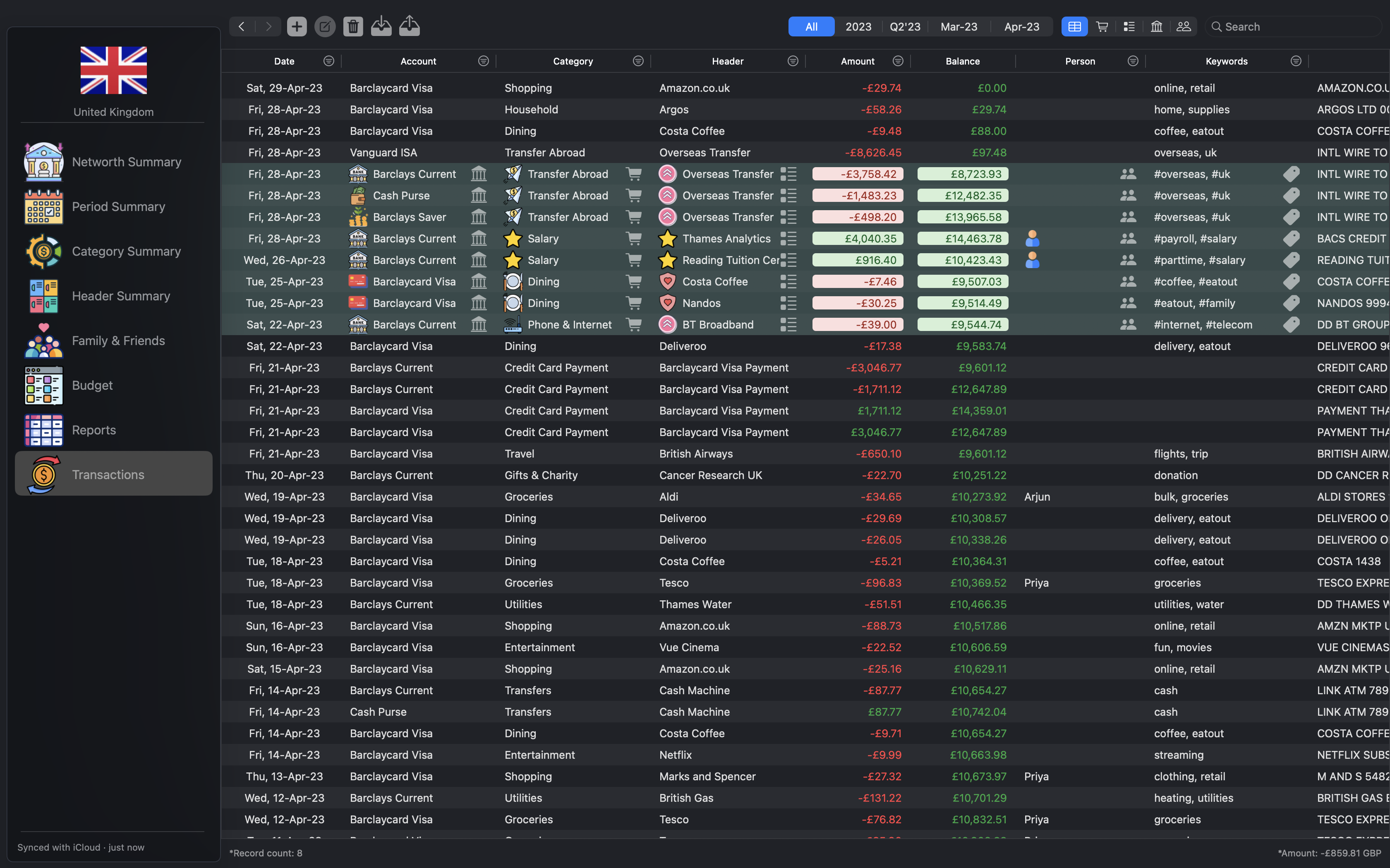
Filter down to exactly the transactions you need, select several rows and update them together, as easily as in a spreadsheet. Keep your records accurate in a few clicks, then export the result to CSV.
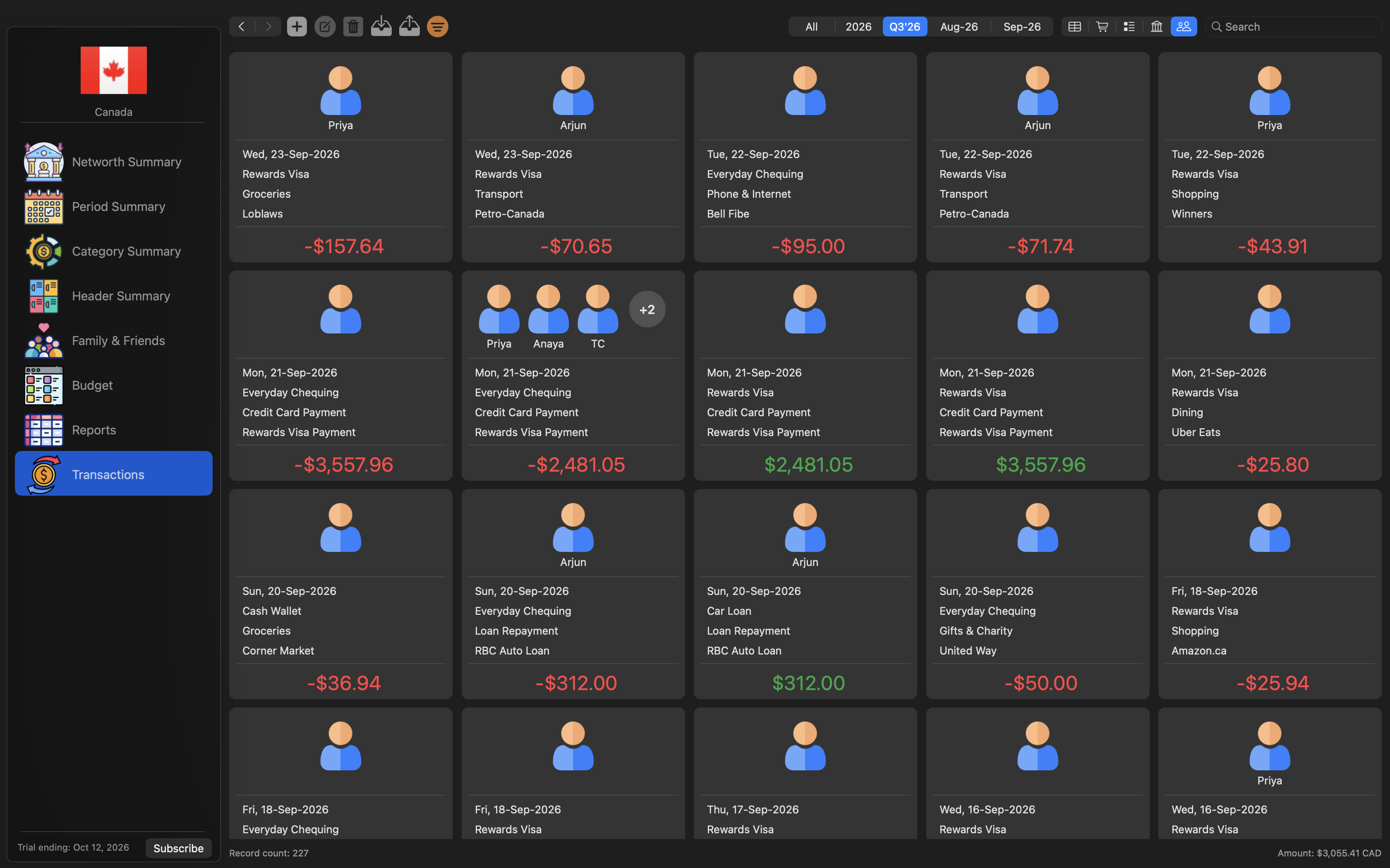
Family & Friends shows income and spending for each person in your household. Split one payment across categories and people, and the parts always add up.
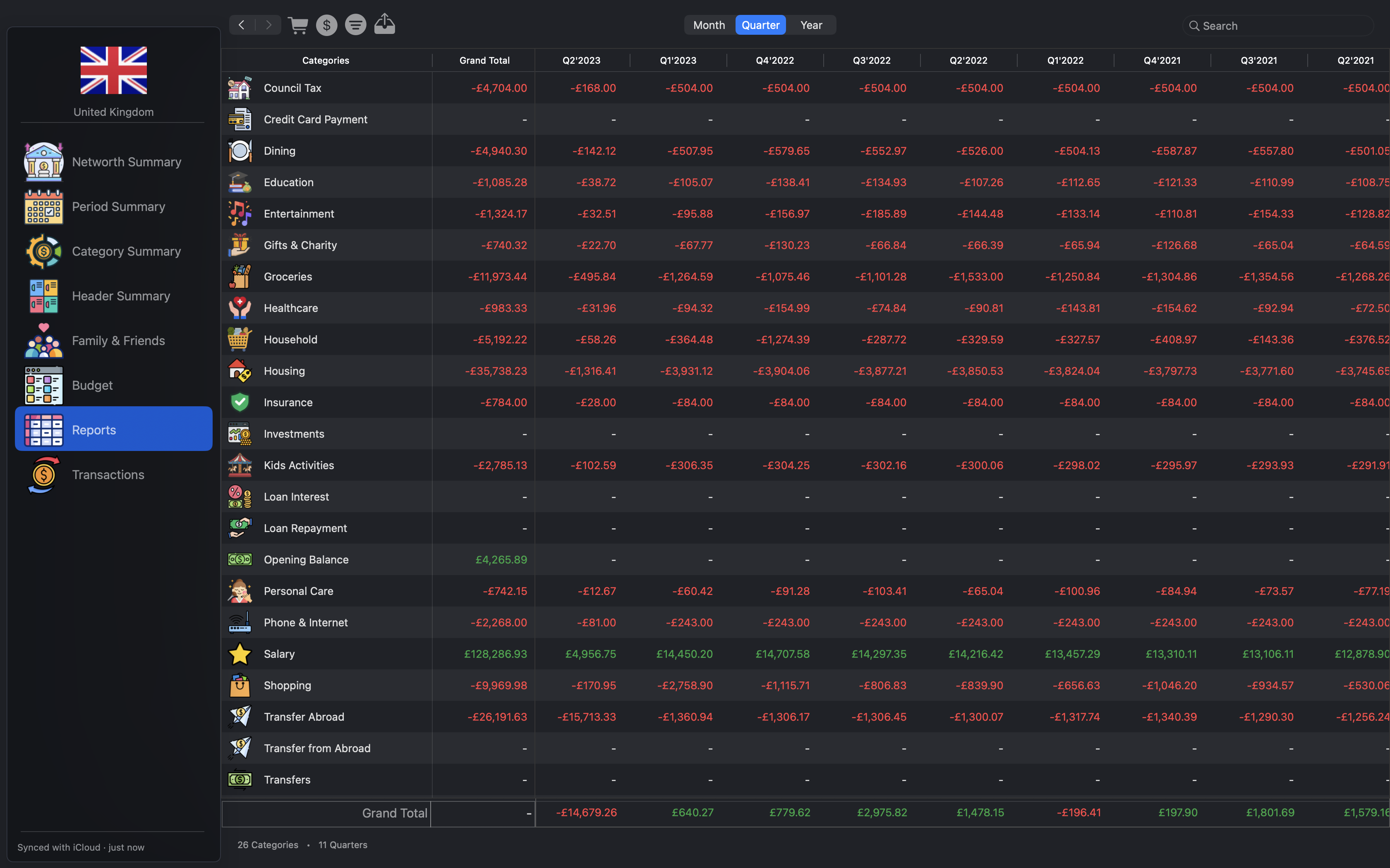
Build multi-period reports grouped by category, header, account or person, and export them to CSV. Double-click any figure to see the transactions behind it.
Start with a 14-day free trial with full access. No payment needed to start. Then choose the plan that suits you.
Billed every month
Flexible. Pay month to month.
Billed once a year
One payment. Our best value.
Prices are shown on the Mac App Store and in the app. Subscriptions are purchased in the app and charged to your Apple Account. They renew automatically unless cancelled at least 24 hours before the end of the current period. Manage or cancel any time in your App Store account settings.